

Branding
Configure your storefront template, colors, logo, hero text, and SEO settings
Branding
Customize how your storefront looks and what it says. All configuration is in Storefront > Settings on my.rizpay.app.
Template
Choose from available storefront templates. Each template is a different layout and visual style. Templates share the same functionality - they differ in appearance only.
Brand colors
Set your primary and secondary colors as hex codes (e.g. #1a73e8). These are applied throughout your storefront.
Hero text
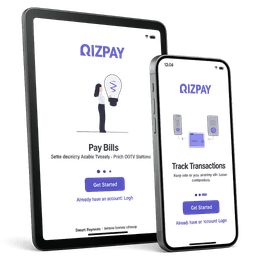
Customize what your customers see on the storefront home page:
| Field | Default | Description |
|---|---|---|
| Hero title | "Pay your bills simply" | Main heading on your storefront home |
| Hero subtitle | "Airtime, data, electricity and more" | Subheading |
| Primary button | "Get started" | Primary CTA button text |
| Secondary button | "Sign in" | Secondary CTA button text |
| Description | (none) | Short description shown below the hero |
SEO configuration
| Field | Description |
|---|---|
| Title | The <title> tag for your storefront home page |
| Description | Meta description for search engines |
| Keywords | Comma-separated keywords |
| OG title | Open Graph title for social sharing |
| OG description | Open Graph description |
| OG image URL | URL to your social sharing image (1200x630px recommended) |
| Favicon URL | URL to your favicon |
| Twitter handle | Your Twitter/X handle (e.g. @yourbrand) |
Per-category SEO
SEO title and description can also be set individually for each product category (airtime, data, electricity, cable TV). This lets each category page have its own relevant meta tags.